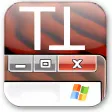
Have Vista transparent windows in XP
Let's admit it: Windows Vista does have some graphical eyecandy that many of us would like to enjoy too, that is, if we could have it without having to give up on our beloved XP.
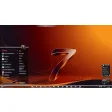
Well, who say we can't? Here's the trick: download TrueTransparency, copy it to any folder on your hard drive (no installation required) and you'll be able to add a sleek transparency effect to your windows. It's as easy as that! Just bear in mind that it may not work with all your apps (during my tests, for instance, Winamp didn't get the Vista look) but most system windows and standard applications will show off a shiny transparent look.
Like I said, the program doesn't require installation and hardly uses any system resources. From the little icon displayed on the system tray you can change between two different skins, set the program to be run on Windows startup and also close it when you grow tired of so much transparency and want to go back to traditional Windows XP windows.
TrueTransparency is a very quick, simple way to have the Vista transparency effect on your XP windows.











.png)










User reviews about TrueTransparency
by Anonymous
Very Bad CPU Usage and Fullscreen glitches.
This program looks very nice, but I've noticed some very disturbing glitches about this program. The ability to have transparent windows in XP is not really that new and it has been going through some serious bugfixing. The biggest thing I've noticed with this program is that it likes to flash certain parts of the screen white over and over, like previous review said, "Like it was having a seizure" Also, I've noticed that running fullscreen games will be completely useless when running this program as it slows the game engine and flashes or shows the window border. How strange is that?
Pros:
Nice look
Cons:
Very limited functionality More
by Anonymous
Glitchy.
I noticed on my system, whenever I have the program running, the windows get very glitchy. As if the window were having a seizure.
> Pros:
Very lightweight, no installation, great visuals and multiple skins.
Cons:
Glitchyness. More
by Anonymous
Vista Stories: TrueTransparency.
TrueTransparency is a free program that allows you to windows under Windows XP acquire transparency and looks just as it is in the Windows Vista operating system. Application of transparency has never been easier when you try this a great addition that will bring freshness old windows under Windows XP! More